
SDW Labs LLC — Software Product
The Estimate Portal.
End-to-End Event Estimating.
The SDW Estimate Portal replaces spreadsheets, email chains, and manual approval processes with a structured, end-to-end estimating workflow. Customer-specific pricing, a 6-stage approval process, real-time pipeline visibility, and full ERP integration — all in one system built specifically for agencies and project-based businesses.
SDW Labs LLC — Software Product
The Estimate Portal.
End-to-End Event Estimating.
The SDW Estimate Portal replaces
spreadsheets, email chains, and
manual approval processes with a
structured, end-to-end estimating workflow. Customer-specific pricing, a 6-stage approval process,
real-time pipeline visibility, and full ERP integration — all in one system built specifically for agencies and project-based businesses.
SDW Labs LLC — Software Product
The Estimate
Portal.
End-to-End
Event Estimating.
We design and deploy focused AI agents
for small andmid-size businesses — then
hand them off completely.You host them on your own account,
you own the code,and your team is trained to run them independently.
No retainer. No lock-in. No bloated platforms.
Platform Capabilities
Everything You Need to Build and Manage Event Estimates
The SDW Estimate Portal covers the full estimating lifecycle — from initial budget setup to final contract status — with the flexibility to match your agency's exact workflow.

Estimate Builder
Construct complete event estimates using a structured, category-driven framework — with customer-specific pricing baked in from the start.
Customer information & custom price lists
Budget Categories and Subcategories
Quantity × rate calculation per service or product
Auto-calculated total sale price and cost value
Attach documents and electronic records to any estimate

Workflow & Approvals
Move estimates through a defined approval chain — with each stage tracked, logged, and automatically communicated to the right people.
6-stage approval process from Budget Owner to Contracted
Configurable per department and role
Automatic internal and external email notifications
Full status tracking at every stage
Audit log of all status changes and approvals
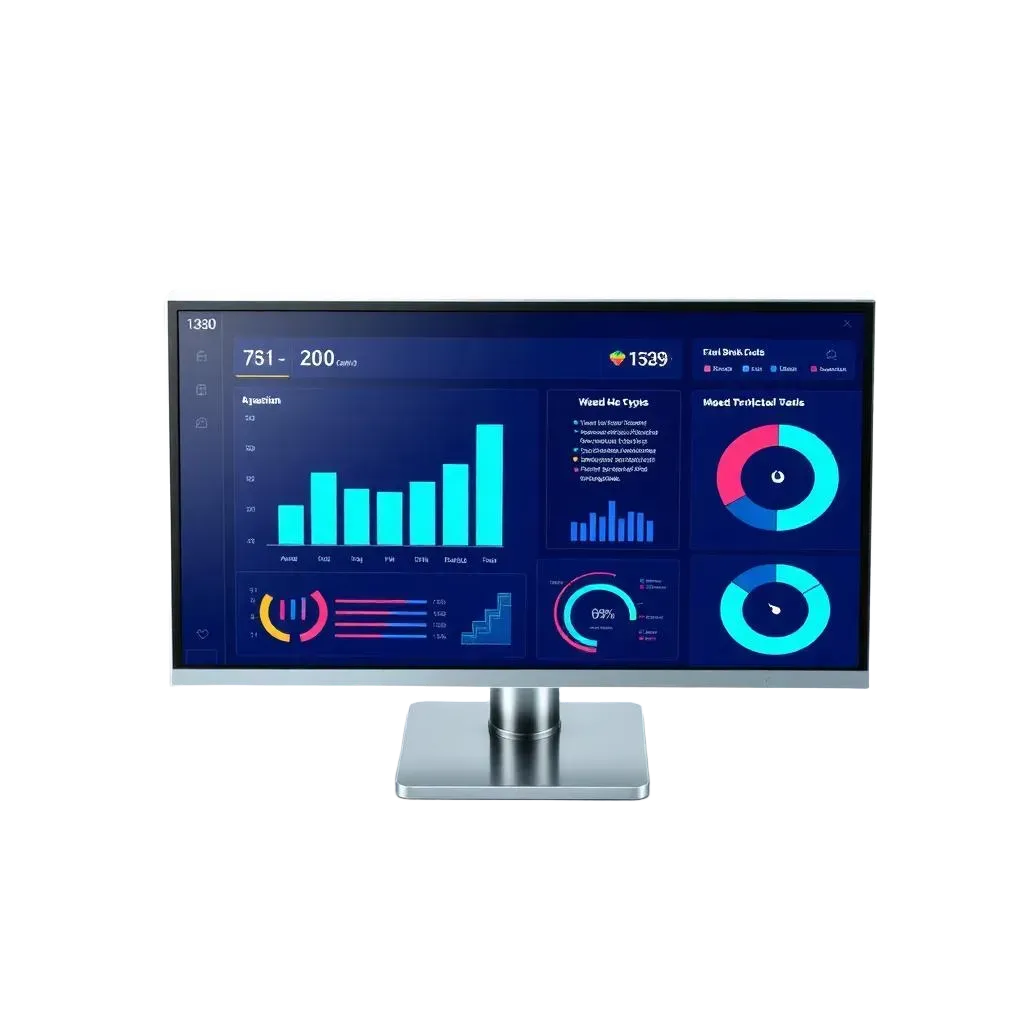
Reports & Dashboards
Move estimates through a defined approval chain — with each stage tracked, logged, and automatically communicated to the right people.
6-stage approval process from Budget Owner to Contracted
Configurable per department and role
Automatic internal and external email notifications
Full status tracking at every stage
Audit log of all status changes and approvals

Security & Audit Controls
Enterprise-grade access control and a complete audit trail — so every action is attributed, every record is protected, and every review is documented.
Role-based authorization for all users
Record-level access restrictions
Full record log for compliance and auditing
Permission controls by department and function
Immutable activity history on every estimate
Configurable Dimensions
Categorize and group estimate lines using the dimensions that match your business structure — with the ability to add custom dimensions beyond the defaults.
Standard dimensions: Brand, Market, Channel, Function/Position
Multiple custom dimensions supported
Dimensions apply across all estimates and reports
Group and filter estimates by any dimension combination

System Integrations
Connect the Estimate Portal to the financial and operational systems your agency already relies on — eliminating duplicate data entry and manual reconciliation.
ERP system integration
Financial system connectivity
Bi-directional data sync support
Custom integration configuration available
Platform Capabilities
Everything You Need to Build and Manage Event Estimates
The SDW Estimate Portal covers the full estimating lifecycle — from initial budget setup to final contract status — with the flexibility to match your agency's exact workflow.
Estimate Builder
Construct complete event estimates using a structured, category-driven framework — with customer-specific pricing baked in from the start.
Customer information & custom price lists
Budget Categories and Subcategories
Quantity × rate calculation per service or product
Auto-calculated total sale price and cost value
Attach documents and electronic records to any estimate
Workflow & Approvals
Move estimates through a defined approval chain — with each stage tracked, logged, and automatically communicated to the right people.
6-stage approval process from Budget Owner to Contracted
Configurable per department and role
Automatic internal and external email notifications
Full status tracking at every stage
Audit log of all status changes and approvals
Reports & Dashboards
Move estimates through a defined approval chain — with each stage tracked, logged, and automatically communicated to the right people.
6-stage approval process from Budget Owner to Contracted
Configurable per department and role
Automatic internal and external email notifications
Full status tracking at every stage
Audit log of all status changes and approvals
Security & Audit Control
Enterprise-grade access control and a complete audit trail — so every action is attributed, every record is protected, and every review is documented.
Role-based authorization for all users
Record-level access restrictions
Full record log for compliance and auditing
Permission controls by department and function
Immutable activity history on every estimate
Configurable Dimensions
Categorize and group estimate lines using the dimensions that match your business structure — with the ability to add custom dimensions beyond the defaults.
Standard dimensions: Brand, Market, Channel, Function/Position
Multiple custom dimensions supported
Dimensions apply across all estimates and reports
Group and filter estimates by any dimension combination
System Integrations
Connect the Estimate Portal to the financial and operational systems your agency already relies on — eliminating duplicate data entry and manual reconciliation.
ERP system integration
Financial system connectivity
Bi-directional data sync support
Custom integration configuration available
Approval Pipeline
From Budget Request to Contracted — Automaticallyin Four Steps
Every estimate moves through a defined, configurable approval chain. Each stage triggers
the right notifications, captures the right sign-offs, and keeps your team informed
without manual follow-up.
1
Budget Owner
Initiates & submits the estimate
2
Manager Review
Internal line review & approval
3
Dept. Approval
Each department signs off
4
Finance Review
Financial accuracy & compliance check
5
Customer Approval
External client sign-off
6
Contracted
Estimate locked and executed
Internal Notifications
Team members and approvers are automatically notified when an estimate enters their stage — no manual follow-up or status chasing required. Everyone knows what needs their attention and when.
External Notifications
Clients receive automated email notifications when their approval is needed and when a contract is finalized — keeping external stakeholders in the loop without adding work to your team's plate.
Approval Pipeline
From Budget Request to Contracted — Automatically
in Four Steps
Every estimate moves through a defined, configurable approval chain. Each stage triggers the right notifications, captures the right sign-offs, and keeps your team informed without manual follow-up.
1
Budget Owner
Initiates & submits the estimate
2
Manager Review
Internal line review & approval
3
Dept. Approval
Each departmen signs off
4
Finance Review
Financial accuracy & compliance check
5
Customer Approval
External client sign-off
6
Contracted
Estimate locked and executed
Internal Notifications
Team members and approvers are automatically notified when an estimate enters their sta5e — no manual follow-up or status chasing required. Everyone knows what needs their attention and when.
External Notifications
Clients receive automated email notifications when their approval is needed and when a contract is finalized — keeping external stakeholders in the loop without adding work to your team's plate.
Estimate Dimensions
Structure Every Estimate the Way Your Business Works
The Estimate Portal ships with four core dimensions and supports unlimited custom dimensions — so you can categorize, group, and report on estimates at the level of detail your agency actually needs.
Brand
Tag each estimate line to a specific client brand or product line for brand-level reporting and budget allocation.
Standard

Market
Assign estimates to geographic or demographic markets to track spend and performance by region or audience.
Standard
Channel
Categorize estimate lines by distribution or activation channel — experiential, digital, retail, or any channel your agency runs.
Standard

Function / Position
Attribute costs and services to the function or role responsible — for precise departmental budget tracking and staffing visibility.
Standard
Estimate Dimensions
Structure Every Estimate the Way Your Business Works
The Estimate Portal ships with four core dimensions and supports unlimited custom dimensions — so you can categorize, group, and report on estimates at the level of detail your agency actually needs.
Brand
Tag each estimate line to a specific client brand or product line for brand-level reporting and budget allocation.
Standard
Market
Assign estimates to geographic or demographic markets to track spend and performance by region or audience.
Standard
Channel
Categorize estimate lines by distribution or activation channel — experiential, digital, retail, or any channel your agency runs.
Standard
Function / Position
Attribute costs and services to the function or role responsible — for precise departmental budget tracking and staffing visibility.
Standard
Approval Pipeline
From Budget Request to
Contracted — Automatically
in Four Steps
Every estimate moves through a defined, configurable approval chain. Each stage triggers the right notifications, captures the right sign-offs, and keeps your team informed without manual follow-up.
1
Budget Owner
Initiates & submits the estimate
2
Manager Review
Internal line review & approval
3
Dept. Approval
Each department signs off
4
Finance Review
Financial accuracy & compliance check
5
Customer Approval
External client sign-off
6
Contracted
Estimate locked and executed
Internal Notifications
Team members and approvers are automatically notified when an estimate enters their stage — no manual follow-up or status chasing required. Everyone knows what needs their attention and when.
External Notifications
Clients receive automated email notifications when their approval is needed and when a contract is finalized — keeping external stakeholders in the loop without adding work to your team's plate.
Estimate Dimensions
Structure Every Estimate the
Way Your Business Works
The Estimate Portal ships with four core dimensions and supports unlimited custom dimensions — so you can categorize, group, and report on estimates at the level of detail your agency actually needs.
🏷️
Brand
Tag each estimate line to a specific client brand or product line for brand-level reporting and budget allocation.
Standard
📍
Market
Assign estimates to geographic or demographic markets to track spend and performance by region or audience.
Standard
🔗
Channel
Categorize estimate lines by distribution or activation channel — experiential, digital, retail, or any channel your agency runs.
Standard
👤
Function / Position
Attribute costs and services to the function or role responsible — for precise departmental budget tracking and staffing visibility.
Standard
Reporting & Visibility
Every Estimate. Every Stage. Always Visible.
The Estimate Portal gives managers, finance teams, and leadership a complete, real-time view of every estimate in the system — organized exactly the way they need to see it.

Pipeline Dashboard
A real-time view of all active estimates by status — see what's in review, what's pending approval, and what's been contracted, at a glance.
Budget vs. Cost Reports
Compare estimated sale price against actual cost by category, subcategory, or dimension. Identify where margin is being lost before the event closes.

Dimension Filtering
Slice any report by Brand, Market, Channel, Function, or any custom dimension. Find exactly what you need without scrolling through unrelated estimates.
Reporting & Visibility
Every Estimate. Every Stage. Always Visible.
The Estimate Portal gives managers, finance teams, and leadership a complete, real-time view of every estimate in the system — organized exactly the way they need to see it.
Pipeline Dashboard
A real-time view of all active estimates by status — see what's in review, what's pending approval, and what's been contracted, at a glance.
Budget vs. Cost Reports
Compare estimated sale price against actual cost by category, subcategory, or dimension. Identify where margin is being lost before the event closes.
Dimension Filtering
Slice any report by Brand, Market, Channel, Function, or any custom dimension. Find exactly what you need without scrolling through unrelated estimates.
Reporting & Visibility
Every Estimate. Every Stage.
Always Visible.
The Estimate Portal gives managers, finance teams, and leadership a complete, real-time view of every estimate
in the system — organized exactly the way they need to see it.
📈
Pipeline Dashboard
A real-time view of all active estimates by status — see what's in review, what's pending approval, and what's been contracted, at a glance.
💹
Budget vs. Cost Reports
Compare estimated sale price against actual cost by category, subcategory, or dimension. Identify where margin is being lost before the event closes.
🎛️
Dimension Filtering
Slice any report by Brand, Market, Channel, Function, or any custom dimension. Find exactly what you need without scrolling through unrelated estimates.
How It Works
From Setup to Contracted
in Four Steps
The Estimate Portal is designed to be intuitive for the people who use it every day — and powerful enough for the finance and ops teams who need to manage the full picture.
1
Configure Your Setup
We map your current workflows, identify the highest-leverage automation opportunity, and confirm the scope fits what your tier can deliver. You leave this call with clarity — even if you don't buy.
2
Build the Estimate
Select the customer, apply their pricing, and populate estimate lines by budget category and subcategory. Quantities and rates calculate totals automatically. Attach supporting documents as needed.
3
Route for Approval
Submit the estimate and it enters the approval workflow automatically. Each approver is notified, actions are logged, and the estimate status updates in real time — no manual hand-offs required.
4
Contract & Report
Once customer approval is received, the estimate is marked Contracted and synced to your connected ERP or financial system. Every detail is preserved in the audit log and reflected in your dashboards.
6
Approval stages, fully automated
100%
Audit-logged estimate history
0
Manual notification follow-ups
1
Platform for the full estimate lifecycle
How It Works
From Setup to Contracted
in Four Steps
The Estimate Portal is designed to be intuitive for the people who use it every day — and powerful enough for the finance and ops teams who need to manage the full picture.
1
Configure Your Setup
We map your current workflows, identify the highest-leverage automation opportunity, and confirm the scope fits what your tier can deliver. You leave this call with clarity — even if you don't buy.
2
Build the Estimate
Select the customer, apply their pricing, and populate estimate lines by budget category and subcategory. Quantities and rates calculate totals automatically. Attach supporting documents as needed.
3
Route for Approval
Submit the estimate and it enters the approval workflow automatically. Each approver is notified, actions are logged, and the estimate status updates in real time — no manual hand-offs required.
4
Contract & Report
Once customer approval is received, the estimate is marked Contracted and synced to your connected ERP or financial system. Every detail is preserved in the audit log and reflected in your dashboards.
6
Approval stages, fully automated
100%
Audit-logged estimate history
0
Manual notification follow-ups
1
Platform for the full estimate lifecycle
Integrations & Security
Connected to Your Stack.
Locked Down for Your Team.
The Estimate Portal doesn't sit in a silo. It connects to the financial and operational
systems your agency already runs on — and protects every record with enterprise-grade access controls.

ERP & Financial System Integration
Connect the Estimate Portal directly to your ERP and financial systems so contracted estimates flow through automatically — no duplicate data entry, no reconciliation gaps.
ERP system integration (configurable)
Financial system data sync
Contracted estimate push on final approval
Custom integration configuration available for your stack

Security, Roles & Audit Controls
Every user has a defined role. Every action is logged. Every record is protected. The Estimate Portal is built for agencies that need compliance-ready documentation alongside their day-to-day estimating.
Role-based authorization across all user types
Record-level access controls by department and function
Full record log for compliance and audit purposes
Immutable activity history on every estimate record
Permission configuration at setup — no ongoing IT dependency
Integrations & Security
Connected to Your Stack. Locked Down for Your Team.
The Estimate Portal doesn't sit in a silo. It connects to the financial and operational systems your agency already runs on — and protects every record with enterprise-grade access controls.
ERP & Financial System Integration
Connect the Estimate Portal directly to your ERP and financial systems so contracted estimates flow through automatically — no duplicate data entry, no reconciliation gaps.
ERP system integration (configurable)
Financial system data sync
Contracted estimate push on final approval
Custom integration configuration available for your stack
Security, Roles & Audit Controls
Every user has a defined role. Every action is logged. Every record is protected. The Estimate Portal is built for agencies that need compliance-ready documentation alongside their day-to-day estimating.
Role-based authorization across all user types
Record-level access controls by department and function
Full record log for compliance and audit purposes
Immutable activity history on every estimate record
Permission configuration at setup — no ongoing IT dependency
Integrations & Security
Connected to Your Stack.
Locked Down for Your Team.
The Estimate Portal doesn't sit in a silo. It connects to the financial and operational systems your agency already runs on — and protects every record with enterprise-grade access controls.
🌐
ERP & Financial System Integration
Connect the Estimate Portal directly to your ERP and financial systems so contracted estimates flow through automatically — no duplicate data entry, no reconciliation gaps.
ERP system integration (configurable)
Financial system data sync
Contracted estimate push on final approval
Custom integration configuration available for your stack
🛡️
Security, Roles & Audit Controls
Every user has a defined role. Every action is logged. Every record is protected. The Estimate Portal is built for agencies that need compliance-ready documentation alongside their day-to-day estimating.
Role-based authorization across all user types
Record-level access controls by department and function
Full record log for compliance and audit purposes
Immutable activity history on every estimate record
Permission configuration at setup — no ongoing IT dependency
Common Questions
Before You Request a Demo
Straightforward answers to the questions we hear most before someone books a demo.
What type of agency is the Estimate Portal built for?
The SDW Estimate Portal is purpose-built for experiential marketing agencies that need to build detailed, multi-line event estimates with customer-specific pricing, structured approval chains, and integration to financial or ERP systems. If your estimating process involves multiple departments, approvers, or external client sign-offs, this is built for you.
Can we customize the approval stages?
Yes. The portal ships with a standard six-stage approval workflow — Budget Owner, Manager Review, Department Approval, Finance Review, Customer Approval, and Contracted — and each stage is configurable to match your internal process and team structure.
What dimensions come standard, and can we add our own?
Four dimensions are included by default: Brand, Market, Channel, and Function/Position. Beyond that, the portal supports multiple custom dimensions so you can structure estimates and reports to match the way your business categorizes work — without being forced into a generic framework.
How does the portal connect to our ERP or financial system?
The Estimate Portal supports integration to ERP and financial systems via configurable connectors. During onboarding, we scope the integration to your specific stack and configure the data flow so contracted estimates and financial data sync without manual exports or reconciliation.
How is access managed across our team?
The portal uses role-based authorization — each user is assigned a role that determines what they can view, edit, submit, and approve. Access is configured during implementation and can be updated as your team changes. All user actions are logged for auditing.
What does the onboarding and setup process look like?
We handle the initial configuration — budget categories, dimensions, customer price lists, approval workflow, user roles, and integration setup — in a structured onboarding engagement. Your team is trained before go-live, and you'll have documentation to onboard new users independently.
Common Questions
Before You Request a Demo
Straightforward answers to the questions we hear most before someone books a demo.
What type of agency is the Estimate Portal built for?
The SDW Estimate Portal is purpose-built for experiential marketing agencies that need to build detailed, multi-line event estimates with customer-specific pricing, structured approval chains, and integration to financial or ERP systems. If your estimating process involves multiple departments, approvers, or external client sign-offs, this is built for you.
Can we customize the approval stages?
Yes. The portal ships with a standard six-stage approval workflow — Budget Owner, Manager Review, Department Approval, Finance Review, Customer Approval, and Contracted — and each stage is configurable to match your internal process and team structure.
What dimensions come standard, and can we add our own?
Four dimensions are included by default: Brand, Market, Channel, and Function/Position. Beyond that, the portal supports multiple custom dimensions so you can structure estimates and reports to match the way your business categorizes work — without being forced into a generic framework.
How does the portal connect to our ERP or financial system?
The Estimate Portal supports integration to ERP and financial systems via configurable connectors. During onboarding, we scope the integration to your specific stack and configure the data flow so contracted estimates and financial data sync without manual exports or reconciliation.
How is access managed across our team?
The portal uses role-based authorization — each user is assigned a role that determines what they can view, edit, submit, and approve. Access is configured during implementation and can be updated as your team changes. All user actions are logged for auditing.
What does the onboarding and setup process look like?
We handle the initial configuration — budget categories, dimensions, customer price lists, approval workflow, user roles, and integration setup — in a structured onboarding engagement. Your team is trained before go-live, and you'll have documentation to onboard new users independently.
Common Questions
Before You Request a Demo
Straightforward answers to the questions we hear most before someone books a demo.
What type of agency is the Estimate Portal built for?
The SDW Estimate Portal is purpose-built for experiential marketing agencies that need to build detailed, multi-line event estimates with customer-specific pricing, structured approval chains, and integration to financial or ERP systems. If your estimating process involves multiple departments, approvers, or external client sign-offs, this is built for you.
Can we customize the approval stages?
Yes. The portal ships with a standard six-stage approval workflow — Budget Owner, Manager Review, Department Approval, Finance Review, Customer Approval, and Contracted — and each stage is configurable to match your internal process and team structure.
What dimensions come standard, and can we add our own?
Four dimensions are included by default: Brand, Market, Channel, and Function/Position. Beyond that, the portal supports multiple custom dimensions so you can structure estimates and reports to match the way your business categorizes work — without being forced into a generic framework.
How does the portal connect to our ERP or financial system?
The Estimate Portal supports integration to ERP and financial systems via configurable connectors. During onboarding, we scope the integration to your specific stack and configure the data flow so contracted estimates and financial data sync without manual exports or reconciliation.
How is access managed across our team?
The portal uses role-based authorization — each user is assigned a role that determines what they can view, edit, submit, and approve. Access is configured during implementation and can be updated as your team changes. All user actions are logged for auditing.
What does the onboarding and setup process look like?
We handle the initial configuration — budget categories, dimensions, customer price lists, approval workflow, user roles, and integration setup — in a structured onboarding engagement. Your team is trained before go-live, and you'll have documentation to onboard new users independently.
Data & Infrastructure
Hosted by SDW Labs.
Private to Your Business.
The Estimate Portal runs on infrastructure managed by SDW Labs, so your team never
has to worry about maintenance, uptime, or security patching.
Every client operates in their own dedicated private cloud environment — your estimates, your pricing, your approvals, and your client data are completely isolated. Nothing shared. Nothing commingled.
SDW Labs handles the infrastructure so your team stays focused on the work. Your data stays yours.
Dedicated Private Cloud
Your environment is isolated at the infrastructure level. No shared databases — your data exists only in your instance.
Managed Security & Uptime
SDW Labs manages platform maintenance and security patching. You get reliability without the IT overhead.
Your Data, Always
All estimates, pricing, approvals, and records belong to your organization. Accessible only to your team.
Infrastructure Model
Enterprise infrastructure. Zero IT burden on your team.
SDW Labs hosts and maintains the Estimate Portal platform. Each client runs in a fully isolated private cloud environment — estimates, pricing rules, approval workflows, and all business data are completely segregated from other clients. You get the platform. We handle the infrastructure. Your data stays private.
🔹 Private Cloud 🔹 Isolated Environment 🔹 Managed by SDW Labs
🔹 Data Sovereignty
See the Portal in Action.
Request a live demo and we'll walk you through the full estimate lifecycle — from setup and budget categories to multi-stage approvals, dashboards, and ERP integration. No slides. No pitch deck. Just the product.
Configured to your workflow. No generic templates. No estimating guesswork.
See the Portal in Action.
Request a live demo and we'll walk you through the full estimate lifecycle — from setup and budget categories to multi-stage approvals, dashboards, and ERP integration. No slides. No pitch deck. Just the product.
Configured to your workflow. No generic templates. No estimating guesswork.
We build custom AI agents, SAP Business One ERP systems, and business intelligence platforms that help small and mid-sized businesses eliminate operational complexity and scale with confidence.
FOLLOW US


PRODUCTS
COMPANY
GET IN TOUCH
Copyright 2026. SDW Labs LLC. All Rights Reserved.
SDWCompass and other SDW Labs products and services mentioned herein as well as their respective logos are trademarks or registered trademarks of
SDW Labs LLC. All other product and service names mentioned are the trademarks of their respective companies.
Business Intelligence, web portals, and data-driven tools that help modern businesses make smarter decisions.
FOLLOW US
PRODUCTS
COMPANY
GET IN TOUCH
Copyright 2026. SDW Labs LLC. All Rights Reserved.
SDW Compass and other SDW Labs products and services mentioned herein as well as their respective logos are trademarks or registered trademarks of SDW Labs LLC. All other product and service names mentioned are the trademarks of their respective companies.